Article
 About Us And Our Journey
September 1st, 2026 by Blaiz Enterprises
At Blaiz Enterprises we have always strived for the very best in software creation. From its initial conception right through to the end user experience, with a strong focus on lightweight code that is intuitively easy to use by all users, whilst being of very high quality. This hasn't always been an easy road to travel. In the past, a lot of the software industry had the tendency to throw code together, which made the task of creating reliable applications more difficult. At Blaiz Enterprises, we don't move fast and break stuff. We make solid code designed for the long haul with a typical life cycle of 10+ years.
The journey to where we stand now has been a long and difficult one, fraught with many pitfalls and a few epic disasters along the way. We never gave up. Coding is as much a process of discovery about what shouldn't be done, as it is about how to do things the right way. Often success comes after several failed or sub-standard attempts.
Our software applications have always been engineered exclusively 'in house' to our own high standards. And as a general rule of thumb, they are natively portable. They do not need to be installed to run. And remain contained in the folder they are stored in. Typically, they run right off the bat, requiring little to no setup to get working. And require no additional 'dll libraries' to work, and make no unnecessary registry modifications, nor update or alter any existing computer files.
A lot of hidden work has gone into making their footprint small, their appearance highly customisable, and their execution over 30+ years of operating systems possible.
We first created the concept of user management back in 2005, as an attempt to allow our users greater freedom at changing the appearance and functionality of our applications. A not so trivial task back then. It doesn't take much for a user management system to go horribly wrong. Think black text rendered onto a black background. Nothing says disaster louder than black on black.
Our applications have come a long way since then. Our latest generation of applications support customisation of scrollbars, font, colors etc. With many built-in color schemes, ranging from black to some exotic color mixes. You can even devise your own color schemes and save them to disk, or share them on social media or via email - our color schemes are plain text which makes them quite safe to share as they use no code.
Countless thousands of technological challenges had to be overcome to make even a single application run right. This required a common codebase that could be reused for each new application. It was critical therefore, this code came as close to being flawless as humanly possible. But no code is ever perfect. Though we do try.
We named this new code foundation Gossamer, after it's meaning of thin and lightweight. It aptly describes our intention. Our latest software applications are now being built upon Gossamer, our 4th generation code foundation. Currently weighing in around 250,000 lines of code, it is extremely compact and fast for what it does. Being engineered exclusively 'in house' to our rigorously high standards, it achieves impressive functionality, stability and reliability under extreme pressure, across all flavours of Microsoft Windows, reaching as far back as Microsoft Windows 95.
Ironically this makes our new applications natively compatible with Wine, as they use minimal functionality provided by the operating system, and tend to use common aspects of hardware too. In stark contrast to the past, nearly all the heavy lifting is performed by Gossamer now.
Specially designed multi-mode visual controls operate on orders of magnitude less code, significantly reducing overhead, permitting complex graphical user interfaces (GUIs) to be constructed in a few lines of code. A lean graphics subsystem natively supports the most common 24-bit and 32-bit graphic functions, eliminating a significant number of OS API calls.
Reducing complexity is always a good idea. With Gossamer's built-in double-buffering and numerically referenced GUI images, the need for separate image handling to render GUI images is eliminated. Working with fonts can be complicated and tedious, but with pixel level rendering and multi-level anti-alias feathering support, Gossamer keeps text rendering simple.
Higher resolution monitors bring obvious benefits, like more screen real estate, but a downside can be smaller than intended visual controls and windows. Gossamer compensates by scaling up images and text to maintain an appropriate end user experience. This might sound like a lot of work for an application, and you would be right. The modern day application requires an awful lot of code at its base to look, feel, and perform correctly. It takes clever code and precise engineering to pull it off properly.
At Gossamer's heart is the GUI. A library of specially built visual controls for the end user to interact with. From the humble common dialog window, for performing such common tasks as saving a file, opening a file, or choosing a color, or a font, through to typing a large body of text in a multi-line text box. Gossamer does it all, and on her own. In order to achieve this feat of engineering, a specialised window management and visual control system was built. A system designed to handle complex overlapping round-edged windows, movable dialogs, drag and drop support, and partially and/or fully repainted multiple visual controls in priority paint order whilst keeping the application responsive. A coding task not for the faint-of-heart. And by no means a trivial engineering undertaking.
Gossamer is the first code foundation by Blaiz Enterprises to truly implement a full, overlapping window environment, complete with curved corners, and up to 250+ window depth support. Honestly, Gossamer started out as a application code foundation and morphed into a mini-operating-system-like beast.
The first time we ever attempted some form of window management, was back in 2006 with our 3rd generation code foundation, code named V.U.N. Short for Visual Engine, User Management, and Network Management. Though it was not a true window management system, the rendering and area mapping was mainly performed by Microsoft Windows using video card calls to include and exclude the appropriate control and window paint areas. A slow, buggy, and extremely difficult process to get right. It took 3 whole months of around-the-clock coding to get the first iteration off the ground. And that was only the control mapping and management handler. It took another 5 to 15 years to smooth out the bugs and get it working to an acceptable level of performance and reliability. Though it never reached the stability or performance levels of Gossamer, it did scale up. V.U.N. easily handled thousands of visual controls in a single application running on Windows 95/98, far exceeding the operating system and hardware limitations of the day.
In stark contrast, Gossamer took only 12-36 months to mature, and another 12-24 months to modernise her appearance and functionality, with an extensive set of visual controls, window management and rendering system, and multi-format graphics subsystem. A light-year-leap-forward in both production and engineering achievement. The coding philosophy behind Gossamer can be summed up in one word: KISS - Keep It Simple Stupid.
Every trick was employed to make Gossamer smaller, simpler, and more direct to use. Specially crafted functions built right into the visual controls themselves are called on to construct a stable, sizeable, predictable, and often complex GUI layout. This makes crafting a standard GUI easy and very quick - a matter of minutes instead of hours, with zero debugging. Of course, from lessons learnt in the past, Gossamer doesn't lockout the extreme custom options either. In fact, a GUI can be constructed from right inside the paint handler, on-the-fly and in realtime. An almost unthought-of consideration with other GUI based languages. A case in point is Multi Icon, an application that generates its GUI (left pane) from below the window header and above the bottom toolbar entirely within the paint handler. It does this by employing the 'paint and map' technique. A simple process that requires no visual controls to render an interactive GUI on the screen.

Multi Icon - A simple application for generating multi-resolution icons
Gossamer even supports native compilation to both 32-bit and 64-bit Windows applications with zero code change. In addition, application execution is supported over an extensive range of Microsoft Windows operating systems. Be it on the oldest 32-bit Windows 95, through to the latest 64-bit flavours, such as Windows 11. Gossamer runs well on Mac and Linux too, via Wine. And all this from a codebase built in object pascal.
An example of a deceptively simple looking application is Cynthia, pictured below, running on Windows 11 happily playing through her list of built-in midis over multiple midi devices. A little known fact is that playing a midi file reliably is a very difficult and technically challenging mathematical operation to pull off. Made more difficult by the poor midi handling on Microsoft Windows, which has generally been unreliable and buggy, ironically, in later more advanced versions. A simple thing like running a thread, pausing it and resuming it, can be a real quagmire if you want it done right, especially if you need it to span 30+ years of hardware and software. There are more ways to handle a thread then there are ways of doing it right. And that's not to mention the headache of Windows 95, where threads tend to crash just for the fun of it. It took countless months of extensive midi testing and the advent of a specialised, custom built, multi-mode, multi-proc, timed thread handler for Cynthia to overcome the necessary code complexities to 'simply' play a midi at speed and reliably for 2+ weeks non-stop on Windows 95 hardware and software right through to Windows 11 and everything in between.
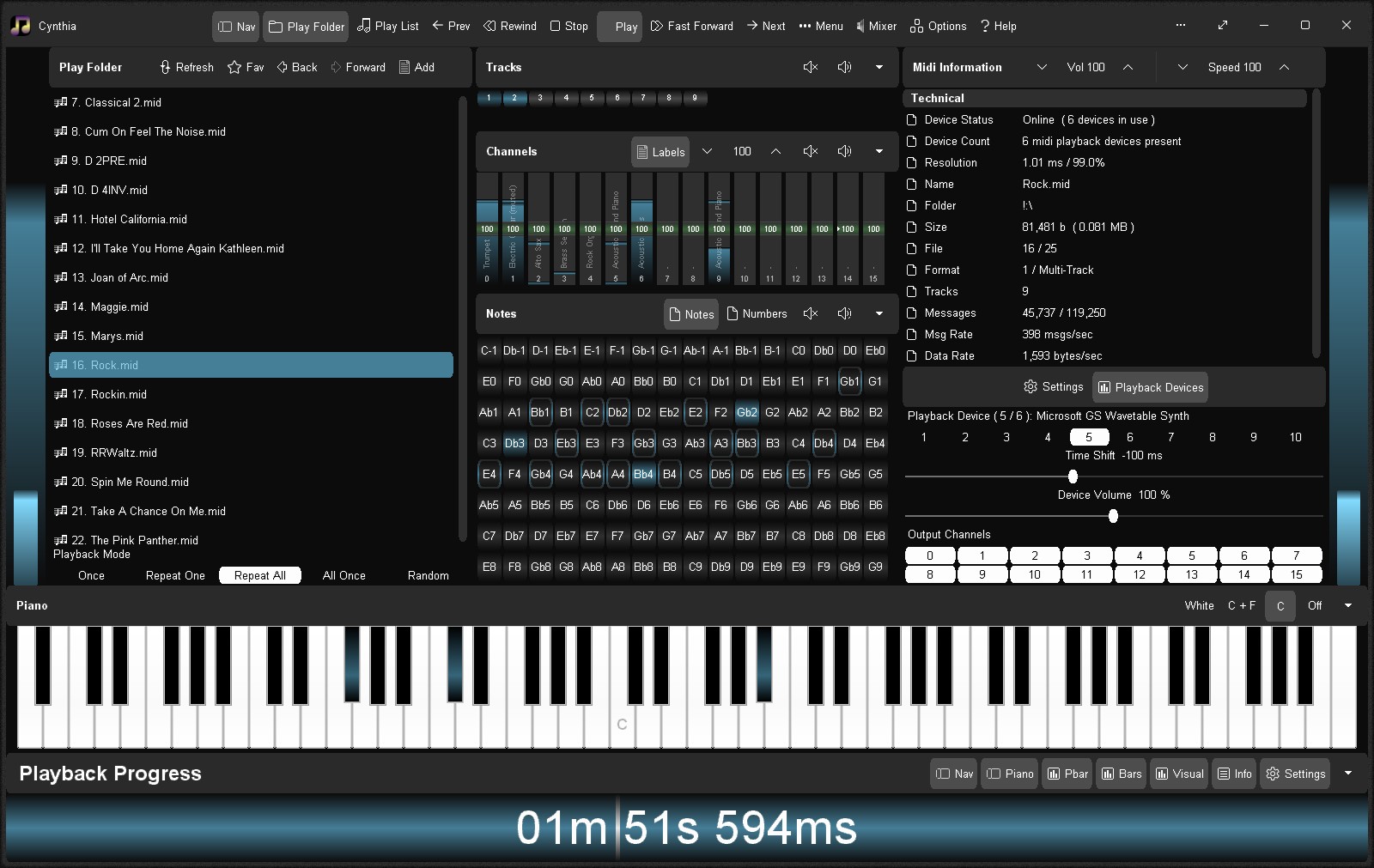
Cynthia - Playing through her built-in midis
Each generation of operating system, hardware and audio drivers had their quirks, preventing the well established and straight forward approach of coding inside a thread and pumping out notes to the audio driver from working as expected, if not flat-out failing in some instances. Threads don't run well on Windows 95. Audio drivers and hardware don't always cooperate, some won't start a midi session from inside a thread, even though they should.
For Cynthia, her solution was to start a midi session outside of a thread, pass notes to the audio driver from inside a thread, and control the internal processing of the thread externally from her GUI without interrupting the flow of the thread unnecessarily.
This involves three different communication styles crossing the host-process to child-thread barrier. Using a normal thread for this purpose would be heavily prone to thread-related shortcomings, such as dead-lock conflicts, interrupting the thread's internal operational flow, or delayed restart.
For this reason a specialised tri-mode, tri-proc, timed thread was engineered to allow all three communication styles to be used free of thread-based complexities. It sounds complicated, but was actually quite achievable in the end. And Cynthia proved herself on a wide variety of Microsoft Windows environments. It took well over 9 months of solid work and debugging, and a lot of wrong code and a few 'strange' work-arounds to get right, but Cynthia was well worth it in the end. She is now capable of outputting midi notes to up to 10 midi devices simultaneously, for a combined total output of 160 midi channels, without issue.
A Brief History Of Our Code Foundations And What They Achieved
1997 / 1st Generation
The 1st generation of our software applications focused on basic infrastructure automation, and data sharing at the low level and at the user level. This allowed many of our applications to share common data quickly and easily, making for a flexible work environment.
At this stage there was no significant custom GUI system or handling in place. As a consequence, applications tendered to suffer from heavy flicker and slow resize/sluggish graphics work, as they relied on Microsoft controls and Delphi code. Another shortcoming was control density. Windows 95/98 (Win32) could not support many controls in use at the same time without the operating system becoming unstable, or simply crashing altogether.
The situation was also not helped by a few unreliable GUI controls. For instance, the drop down combobox that often forgot which item was selected. Worse of all was the notoriously unreliable richedit control. A control which frequently spat out raw RTF code on the screen instead of formatted text. It was also unable to highlight large portions of text exceeding 65K, presumably due to an out-of-date 16-bit selection handler. In addition, the richedit control had to be carefully primed with dummy content in order for it to load large text documents, e.g. 1 Mb or more. Failing to prime it would otherwise result in a screen of scrambled text or nothing at all. Even then, it often randomly failed. Unfortunately, this was something Microsoft seemed powerless to fix for over 20+ years. Eventually, we would go on to build our own text box from scratch and replace Microsoft's faulty richedit control altogether.
Despite the many limitations of our 1st code foundation, it nevertheless permitted the creation of some of our core software applications for the era. Many of which had automated data handling hidden under their hoods. It allowed for ease of use by a wide spectrum of users. And its focus on data automation gave benefits of easier realtime update handling and WYSIWYG viewing. But more critically, it gave birth to the concept of passive coding, which would come to be the fundamental foundation for our later codebases, V.U.N. and Gossamer, which would permit the construction of scalable GUIs and reliable internal cross-talk between various components and sub-systems.
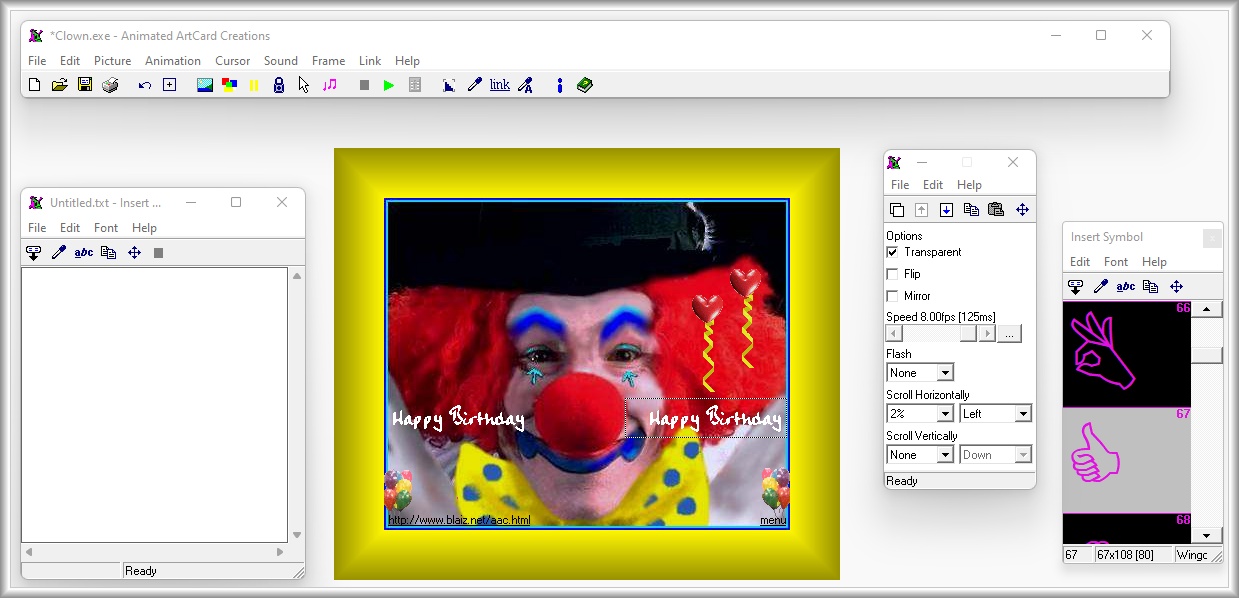
Animated ArtCard Creations Package - Professional - An electronic greeting card editor made using our 1st code foundation with realtime screen updates and WYSIWYG viewing. It made and edited animated ArtCards (exe).
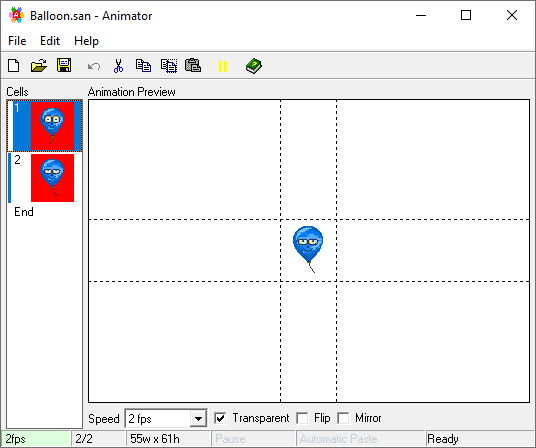
A simple animation creation application made using our 1st code foundation
This was our second attempt at a codebase, focused on a bold view for extensive user customisation. Though we only achieved a small step away from the standard operating system overhead for all GUI processing and window handling, it was our first real attempt at managing a greater GUI workload and the intricate art of visual control rendering for ourselves.
It was also the first time we had implemented a graphics subsystem specifically for the task of rendering GUI controls on the screen. It remained heavily reliant on the operating system for many functions, which actually worked against us. In hindsight, working too closely with the operating system actually reduced our chances for overall success.
However, it was a win in terms of graphics freedom and power. And we had a taste for it now. And we weren't going to back down. But stability issues and some graphical limitations required a major rethink going forward. We needed something simpler and more radically independent of the operating system in order for it to work the way we wanted. Simply, we needed more room for creative freedom. It'd been a vivid lesson about doing too much of the wrong stuff first, and neglecting the basics, which ultimately made it a recipe for failure in the end.
Quite soon a new, vastly more ambitious code foundation was planned. One, where extreme scalability was at its core. We had learned that basic, raw power was far more important than complex graphical effects, which could always be bolted on later, if the system was built right.
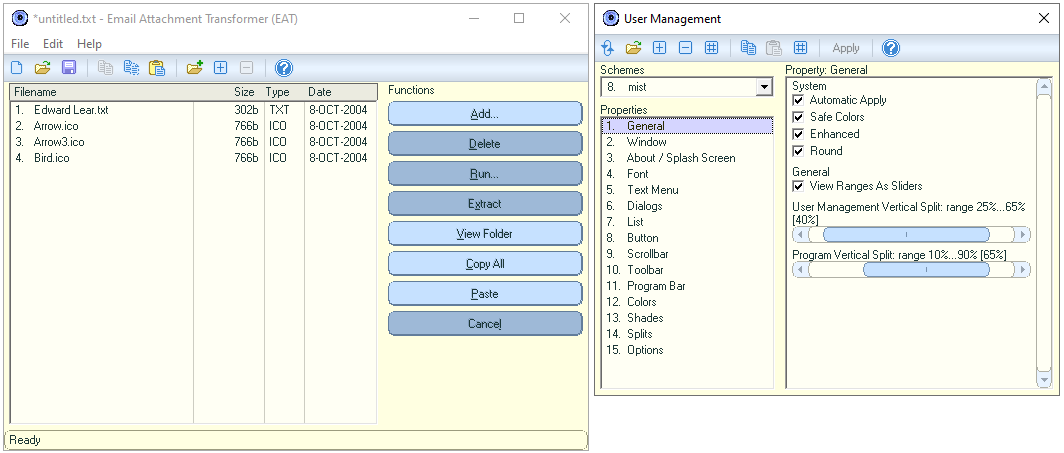
Email Attachment Transformer (EAT v1) was the only application ever made using our 2nd code foundation
This time round we had a clear plan of attack. We were going to keep things simple, and build for scalability. Graphical appearance became secondary, but remained important. What became our 3rd code foundation yielded tremendous success. Far beyond our own lofty expectations. Not only did we achieve a high level of GUI freedom, but we also managed a level of solid stability and massive performance increase over our previous code foundations. It was like magic.
For the first time we could build an application with thousands of controls on the screen at the same time, without any loss of performance or significant memory or operating system penalty.
A little fun fact back in the day, Windows 95 could only support a few hundred controls before losing system stability and inevitably crashing. For example, an application that attempted to load and display a 100 single line text boxes would cause great instability, and eventual, if not immediate failure of the operating system.
Consequently, building a complex application up to this point was an extremely challenging ordeal, often mitigated by countless dialog windows that would temporarily use a few controls and release them once it was closed. But we no longer had to suffer this limitation. In addition, we brought a new graphics subsystem online, one designed specially to work around the limitations of Windows 95/98+. One example, the enlarging of an area of an image to a high zoom level, for instance by a hundred times or more. Windows limited this differential to 16-bit, whereas we increased it to 32-bit. Our new graphics subsystem could zoom without failure, in realtime, with little to no additional memory or processor overhead.
Along with many more enhancements, this 3rd generation code foundation allowed our software applications to perform with great stability whilst performing challenging tasks on limited hardware and software.
In fact, the new codebase proved so flexible and scalable, that we managed to run our own search engine on a cluster of Windows 98 machines - it was called Rawgrunt. And ran our custom built databases, network management system, crawlers, control panels, automatic database propagator, and front end servers. And yes, we managed every aspect of our search engine via a host of networked GUI control panels, all in realtime.
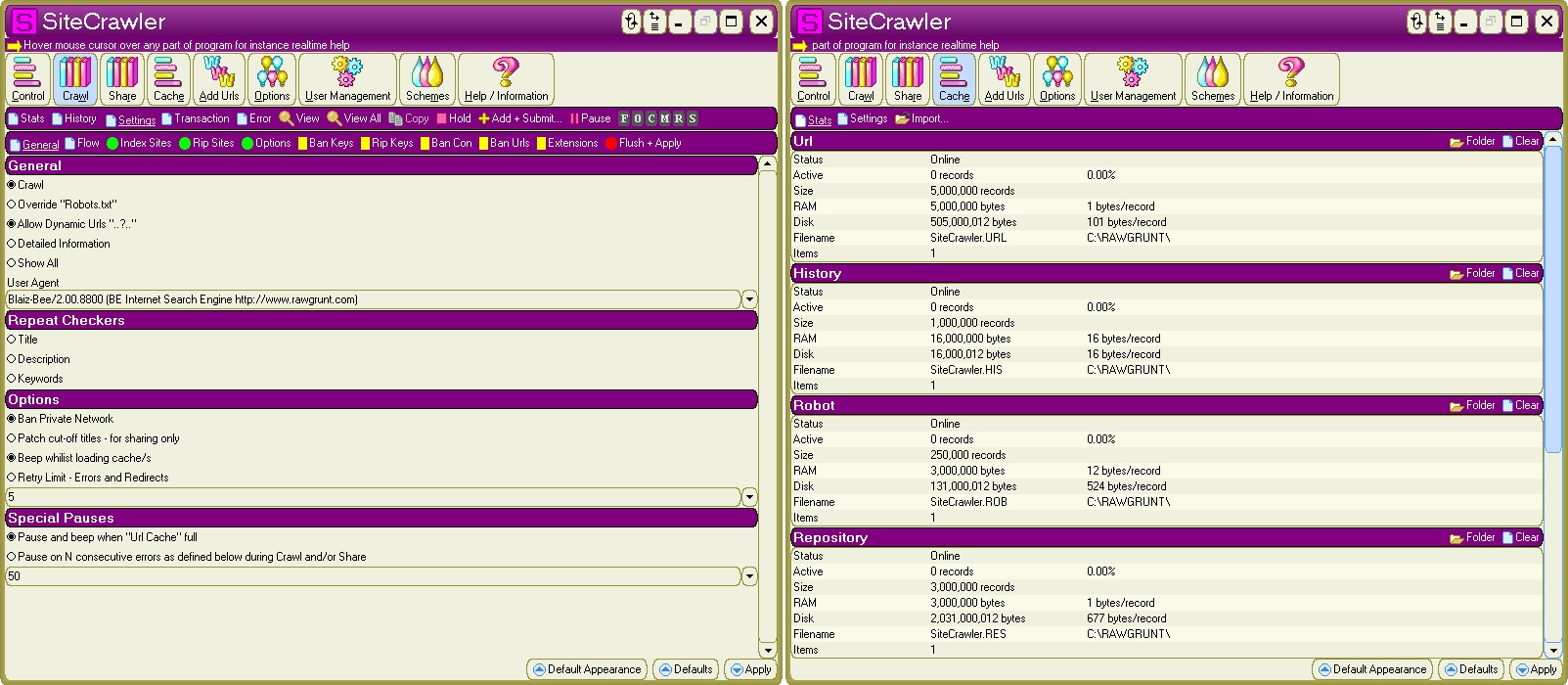
SiteCrawler crawled the internet for RawGrunt - we ran multiple copies across many different machines which were centrally coordinated.
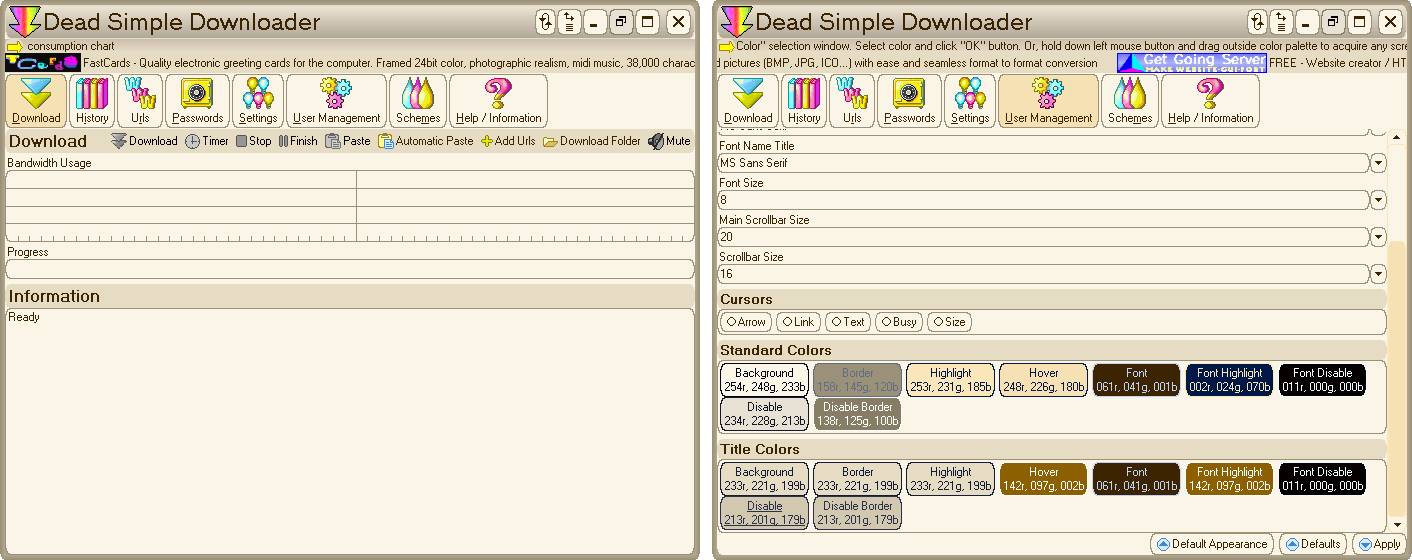
A simple and reliable http file downloader with resume support built with our 3rd generation code foundation V.U.N.
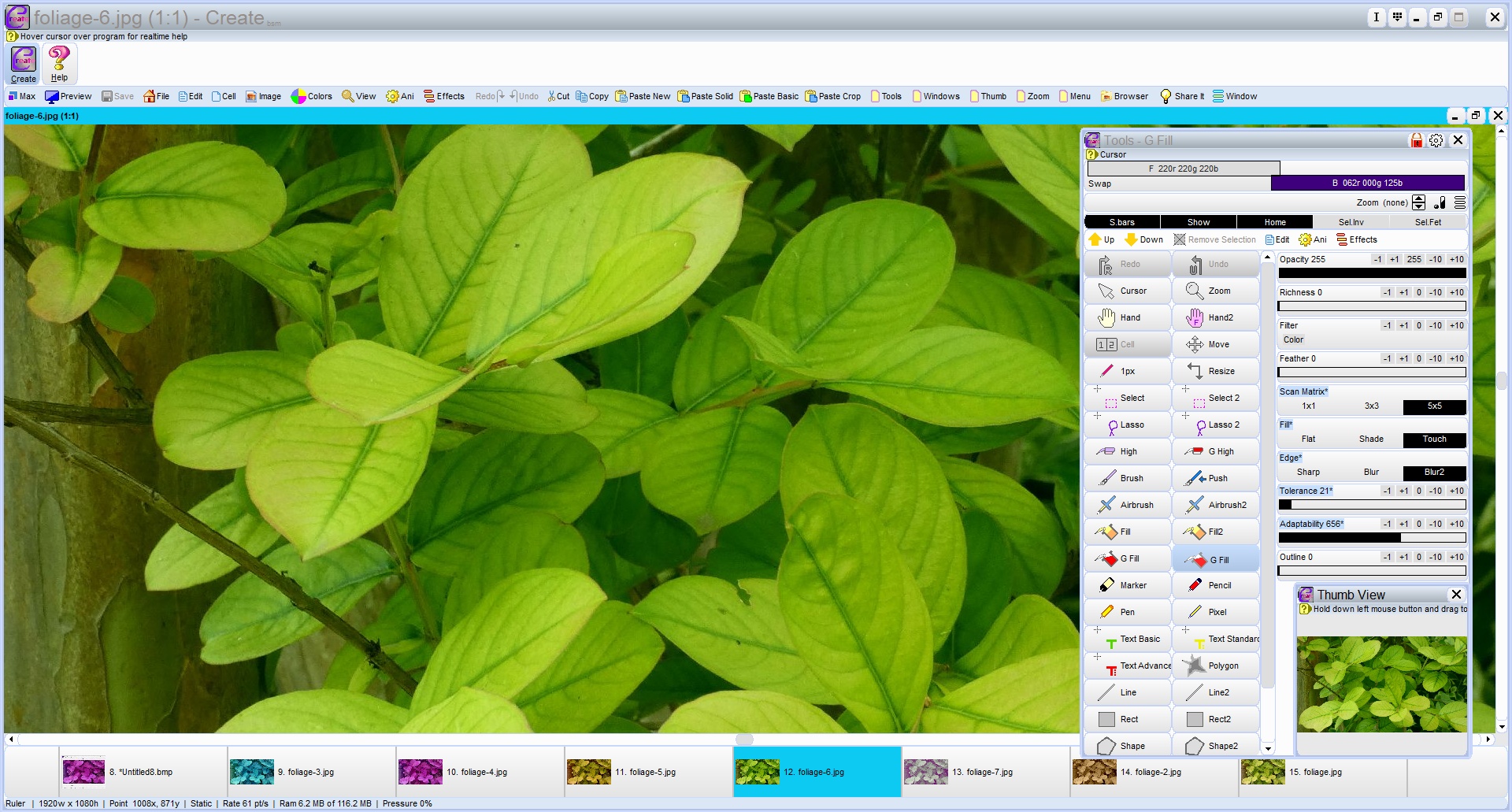
Create, our trusty in-house graphics editor, still used to this day. It supports editing of up to 100 images under Windows 95, and sports adaptive color tools, such as global pot fill. And was designed for a swift and straightforward workflow.
Though our latest code foundation is by far the most impressive to date. Being far lighter, even more powerful, more stable, and just as scalable, and almost completely automatic behind the scenes. Gossamer is a different beast altogether. Swift application development can be achieved through the use of predictable and structured GUI layout functions, many of which are baked right into the system itself.
Sporting a brand new graphics subsystem, capable of seamlessly handling multiple different image handlers, and designed to be operating system independent, Gossamer at last takes full charge of the window and visual control eco system. From advanced control management right down to pixel level rendering, everything is handled internally. All this and more from an extremely compact codebase of 250,000+ lines of code.
Applications are now natively portable with extensive 24-bit and 32-bit graphic functions, sound support, multi-line textbox, FastDraw rapid render CPU support, 2D game engine, 64-bit io and file handling, common dialog windows, drag and drop support, and more.
Unlike past code foundations, Gossamer was written from scratch from the bare metal up. And only included what was required. She makes no use of any Windows visual controls or dialogs, apart from a form to render her GUI on, nor does she use any Pascal visual controls or system units or objects. She instead relys entirely on her own code and self-managed OS API calls for operating system interaction.
Using various techniques, the overall size of the codebase remains compact, especially considering its broad functionality and execution scope. In some cases, especially with complex visual controls, we were able to drastically reduce the required code.
In one way this was achieved for visiual controls was through internal repurposing. We did this by switching the internal mode of the control to a new state in order for it's appearance and/or behaviour to be modified. At times only slightly, and in others, far more significantly. This method allowed us to gain a large amount of visual functionality for a significantly reduced cost. And avoided the pitfalls and rigidity of object orientated inheritance. Yielding less code, and less errors, and less time spent debugging them.
Gossamer is written in Borland Delphi 3 Professional, originally released in 1997, and is a hybrid of low level procedures and functions grouped together into functional families, and flat, minimal-hierarchal objects to keep things simple and accessible. Originally designed as one large library, she was subsequently divided into specialised units, originally intended to allow compilation under Lazarus 2. Apparently, Lazarus suffers from a code limitation of ~65,000 lines per unit. Fast forward to today, Gossamer's code units tend to focus on solving specific computational problems and limitations.
An example of Gossamer and her various code units:
1. main.pas ................ App specific code
2. gossdat.pas ............. App specific icons and help documents
3. gossfast.pas ............ FastDraw - rapid render graphic procs
4. gossgame.pas ............ GameCore - 2D game engine + menu handler/xbox/mouse/keyboard support
5. gamefiles.pas ........... Built-in file(s) for GameCore (optional)
6. gossgui.pas ............. GUI management and controls
7. gossimg.pas ............. Multi-format graphic procs for 8, 24 and 32 bit images with IO support
8. gossio.pas .............. File IO and low level file/folder/disk/data format procs
9. gossjpg.pas ............. JPEG IO (read/write jpeg image data via third party libraries)
10. gossnet.pas ............. Networking - IP filtering, socket management etc
11. gossroot.pas ............ App start-up and control (GUI, console and service)
12. gosssnd.pas ............. Sound, audio, midi and midi based chimes
13. gossteps.pas ............ System, Folder and App images
14. gosstext.pas ............ TextCore - non-GUI and GUI text engine for text boxes
15. gosswin.pas ............. Win32 api calls for 32 and 64 bit (static)
16. gosswin2.pas ............ Win32 api calls for 32 and 64 bit (dynamic loading + fallback handling)
17. gosszip.pas ............. ZIP IO (read/write zip data via third party libraries)
Though modern, Gossamer is fully backward compatible to Windows 95. With her smart source code, she can be compiled under Borland Delphi 3 for a 32-bit application, and compiled under Lazarus 2.2 also for a 32-bit application, as well as Lazarus 4.4/4.6 for a 64-bit application, all with one source code and zero code modification.
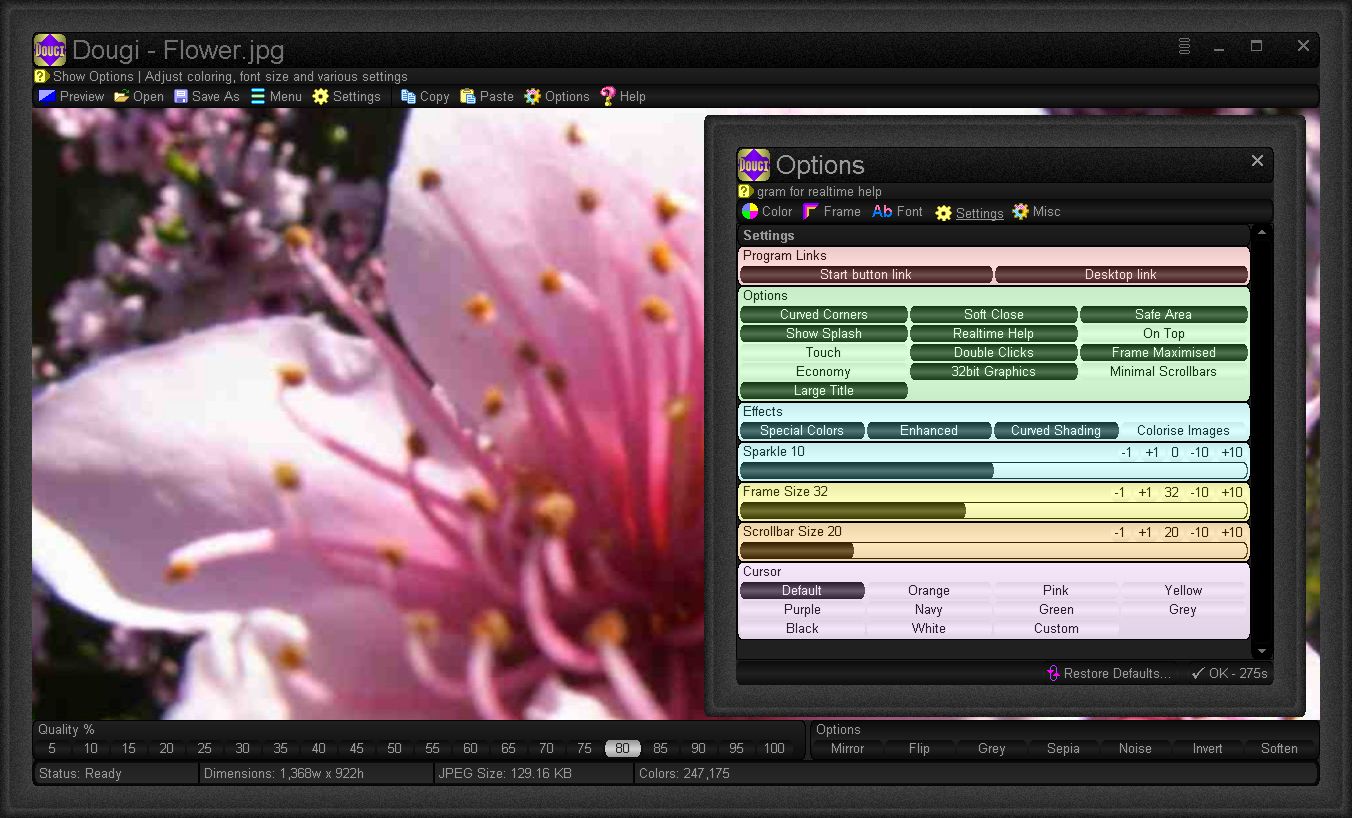
Dougi - An image to jpeg converter, was one of the first applications to be created with Gossamer.
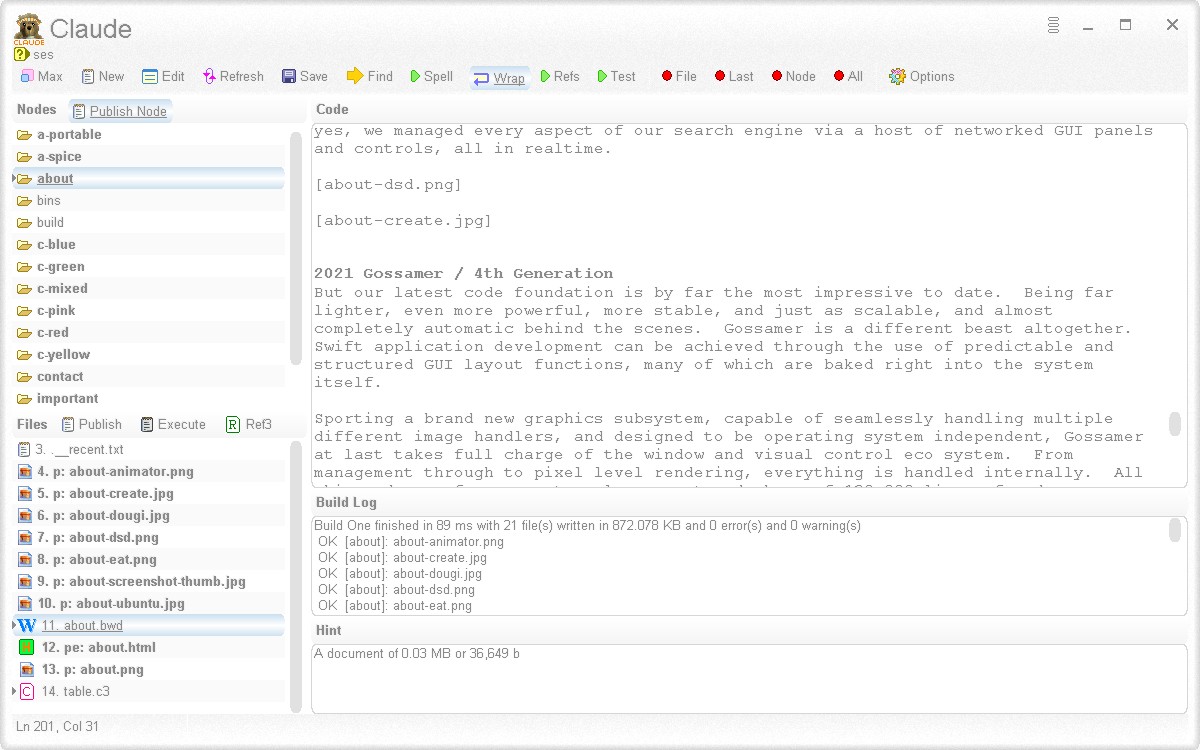
Claude v3 - Manages all our website source code and maintenance.
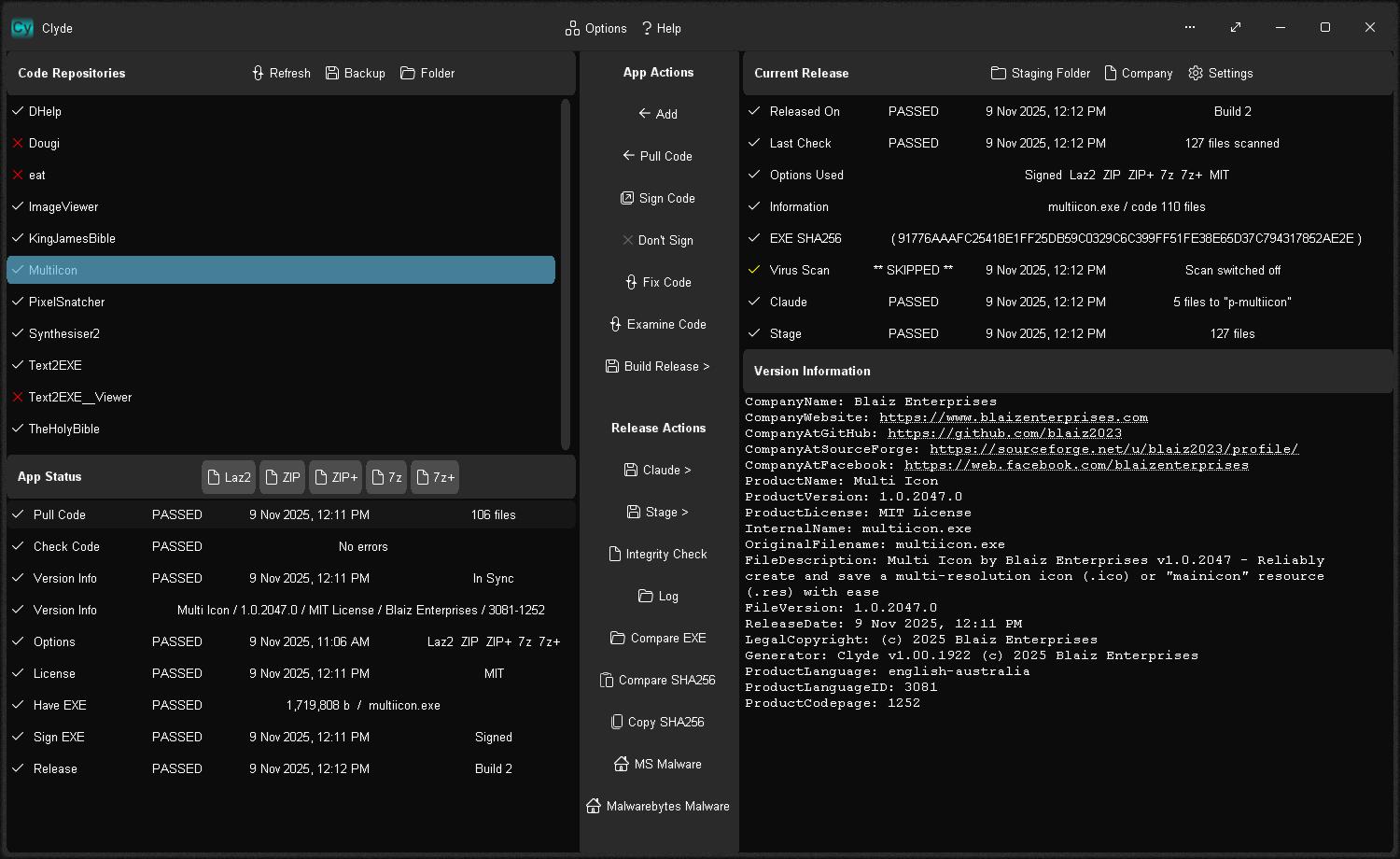
Clyde - Handles the tricky and often tedious process of application packaging (MSIX/ZIP), staging, and release.
Listed below are the key differences between our four code foundations (codebases), which have formed the basis of all our software applications over the decades.
Type / Code Foundation
1st
2nd
3rd
4th
Year of Construction
1997
2005
2006
2021+
Code Name
-
-
V.U.N.
Gossamer
Passive Design
Data Only
Partial GUI + Data
GUI + Data
GUI + Data
OS Dependence
High
Med
Med
Low
Windows 95-11
95-XP
95-XP
✓
✓
Linux + Mac Support via Wine
x
x
x
✓
Win32 Low Resource Usage
x
x
✓
✓
Dynamic API Loading + Management
x
x
x
✓
Realtime Codebase Stats
x
x
✓
✓
Realtime API Status + Usage Stats
x
x
x
✓
Support for many GUI controls
x
x
✓
✓
Data Automation
✓
✓
✓
✓
GUI Automation
x
x
x
✓
Binary Data Management
x
x
x
✓
GUI Support
x
✓
✓
✓
Console Support
x
x
x
✓
Console as a Service
x
x
x
✓
Natively Portable
x
x
x
✓
Framed Windows
x
x
✓
✓
Advanced Frame Styling
x
x
x
✓
Touch Support
x
x
✓
✓
Realtime Help (scrolling)
x
x
✓
✓
Popup Help Hints
x
x
x
✓
Built-in Help
✓
✓
✓
✓
Internal Help Viewer
x
x
✓
✓
TextCore for Text Boxes (GUI + non-GUI)
x
x
x
✓
Large Capacity Text Box (Plain Text)
x
x
✓
✓
Advanced Text Box (Fonts/Images)
x
x
x
✓
Text to HTML Conversion
x
x
x
✓
Multi-Mode Visual Controls
x
x
x
✓
Multi-Monitor Support
x
x
x
✓
Adaptive GUI Scaling
x
x
x
✓
Independent Visual Controls
x
✓
✓
✓
Independent Graphics System
x
✓
✓
✓
Independent Font Manager
x
x
x
✓
Independent Window Manager
x
x
x
✓
Overlapping Window Support
x
x
x
✓
Native Window Masking
x
x
x
✓
Integrated Game Mode
x
x
x
✓
Game Engine + Sprite Rendering
x
x
x
✓
FastDraw Rapid Rendering (CPU)
x
x
x
✓
Flicker Free Rendering
x
x
✓
✓
Anti-Alias Text Rendering
x
x
x
✓
Background Image/Animation
x
x
x
✓
Indexed GUI Images
x
x
x
✓
GUI Image Formats
-
-
TEP/TEA/PNG etc
8 - 32-bit
Color Schemes
x
✓
✓
✓
Compact Text Color Schemes
x
x
x
✓
Internal Debugging
x
x
✓
✓
Memory / Resource Tracking
x
x
✓
✓
Memory Leak Tracker
x
x
x
✓
Midi Engine + Realtime Monitoring
x
x
x
✓
Economy Mode
x
x
x
✓
Modular Design
x
✓
✓
✓
Modular Core
x
x
x
✓
Multi-Mode, Multi-Proc, Timed Thread
For complex host-to/from-thread communication
x
x
x
✓
64-bit IO/Huge File Support
x
x
x
✓
32/64-bit Automatic Compilation
x
x
x
✓
32-bit compile in Borland Delphi 3
✓
✓
✓
✓
32-bit compile in Lazarus 2.2
x
x
x
✓
64-bit compile in Lazarus 4.4/4.6
x
x
x
✓
Lines Of Code
10-22K
N/A
92-500K
63-250K
Base Size (~Mb)
0.5
0.8
0.9-8.0
0.6-2.2




 Contact Us
Privacy Policy
Contact Us
Privacy Policy